The server must have Internet access to activate the license because it needs to connect to the remote license management server.
In the ODDC Server web application menu, select “Licenses,” then click “Activate New License.”
In the dialog box that appears, enter the serial number, and then click the “Activate License” button.
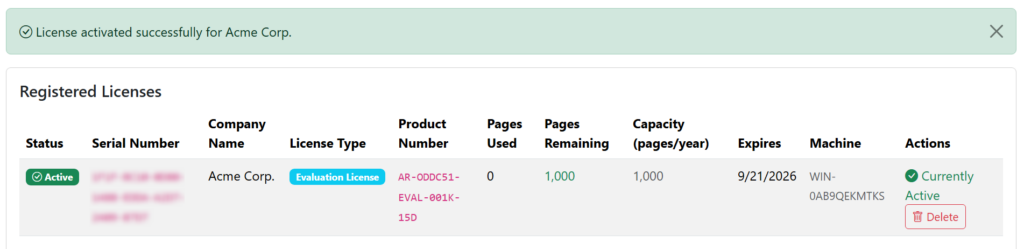
Activation takes a few seconds. If successful, the license will be added to the license manager: